
Moving to Kinsley
We'll import your data for you, free during your trial.
Send the list of children and parents from the app or spreadsheet you use now to the Kinsley Onboarding Team. We put it into Kinsley. You check every row before anything is saved, and nobody is emailed until you say so.
Kinsley Onboarding Team: hello@getkinsley.com
Step by step
- 1Start your trial. Tell us your nursery's name and country. Kinsley sets up your time zone, working week, holidays and currency.
- 2Get your list out of your current system. Most nursery apps can export children and parents to a spreadsheet. If you use paper, fill in our sample file instead.
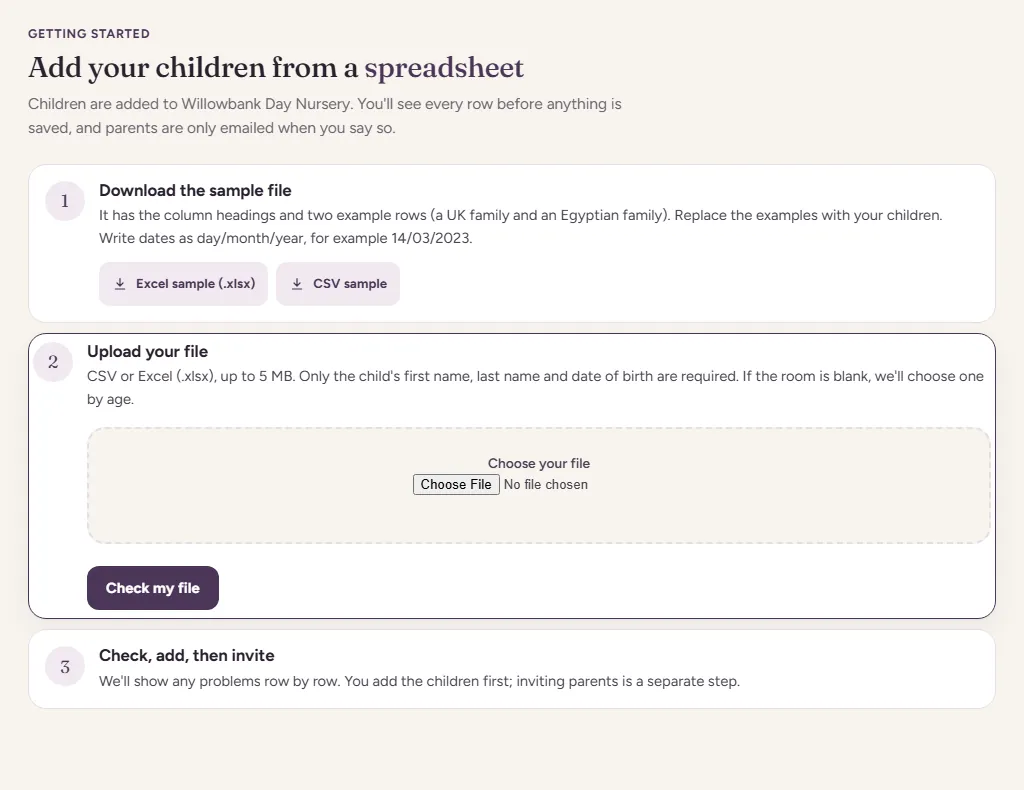
- 3Send it to the Kinsley Onboarding Team, or upload it yourself. CSV or Excel. Kinsley recognises common column names and you match any it doesn't.
- 4Check every row. Before anything is added you see each child, any problems in plain English, and children who are already at your nursery or appear twice.
- 5Add the children, then invite parents when you're ready. Inviting parents is a separate step. Nobody is emailed when children are added.
- 6Invite your team. Each person gets their own invitation and access level, and can start with the register and diary on day one.
What comes across
- Each child's name, date of birth, room and start date
- Allergies and medical notes
- Up to two parents per child, with email, phone and relationship
- Each child's key person
What doesn't move across. Photos, learning journals, past invoices and past records don't come over from a spreadsheet. Download them from your old system before you leave it, and keep them as your nursery's records.
Not sure where to start? Ask us and we'll talk you through it.
See your own nursery in Kinsley by this afternoon.
Thirty days, every feature, no card.